
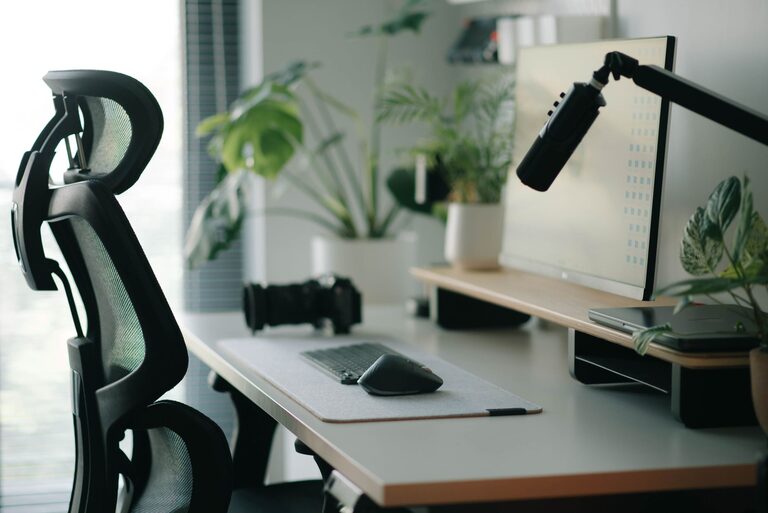
Creating a desk setup that promotes both focus and comfort can make a big difference in your daily productivity and overall well-being. Whether you’re working from home, studying, or pursuing creative projects, having an organized and ergonomic workspace can help you stay motivated and reduce physical strain.
In this post, we’ll share practical tips on how to set up your desk to maximize concentration and comfort.
Why Your Desk Setup Matters
Your desk is more than just a place to put your computer and notebooks. It’s where you spend hours focusing on tasks, so an effective setup can:
– Improve your posture and reduce body pain
– Minimize distractions and clutter
– Keep essential tools within easy reach
– Create a calming environment conducive to concentration
By thoughtfully arranging your workspace, you set the stage for better focus and a healthier work routine.
Choose the Right Desk and Chair
Desk Height and Size
The ideal desk height for most people is around 28 to 30 inches (71 to 76 cm), but this depends on your height and chair. Your forearms should be parallel to the ground when typing or writing.
Make sure your desk surface is large enough to accommodate your computer, monitor, and any accessories without feeling cramped. If you use multiple devices, consider a larger desk or a corner setup.
Ergonomic Chair
Your chair should support your lower back and allow your feet to rest flat on the floor. Look for chairs with adjustable height, lumbar support, and comfortable padding.
If your chair isn’t adjustable, use a footrest or cushion to improve your posture.
Optimize Monitor Placement
A key factor in comfort and focus is how your monitor is positioned.
– Place your monitor directly in front of you, about an arm’s length away.
– The top of the screen should be at or slightly below eye level to keep your neck straight.
– Tilt the monitor slightly backward for better viewing angles.
– If you use more than one monitor, position them side-by-side with minimal gap to reduce head turning.
Good monitor placement reduces eye strain and helps maintain a neutral posture.
Organize Your Desk for Efficiency
Declutter Regularly
A cluttered desk can distract your mind. Keep only essential items on your desk and store the rest in drawers or organizers.
Use Desk Organizers
Trays, pen holders, and cable management tools keep things tidy and easy to find. Label containers if helpful.
Keep Frequently Used Items Nearby
Items like your phone, notebook, or water bottle should be within easy reach to avoid unnecessary movement.
Lighting and Ambiance
Natural Light
If possible, position your desk near a window for natural light. It’s easier on the eyes and can boost mood.
Desk Lamp
Use a desk lamp with adjustable brightness and color temperature to reduce eye strain during late hours.
Minimize Glare
Avoid placing your monitor facing direct sunlight or bright windows. Use blinds or curtains if needed.
Add Comfort Enhancers
Wrist Rests and Mouse Pads
Soft wrist rests can reduce strain during long typing or mouse use sessions.
Footrests
If your feet don’t comfortably touch the floor, a footrest supports leg circulation.
Plants and Personal Touches
Adding a small plant or personal photo can create a pleasant, stress-reducing atmosphere.
Establish Good Habits
Take Breaks
Take short breaks every hour to stretch and move around. This refreshes your mind and body.
Maintain Cleanliness
Spend a few minutes at the end of each day tidying your desk to start fresh the next morning.
Limit Distractions
Use noise-canceling headphones or white noise apps if needed, and keep your phone silent or on “do not disturb.”
Conclusion
Setting up your desk for focus and comfort doesn’t require expensive furniture. Thoughtful adjustments and organization can create a productive and pleasant workspace that supports your work or study goals. By paying attention to ergonomics, lighting, and organization, you’ll find it easier to stay focused, reduce discomfort, and maintain good habits every day. Take the time to customize your desk setup—it’s an investment in your well-being and productivity.